

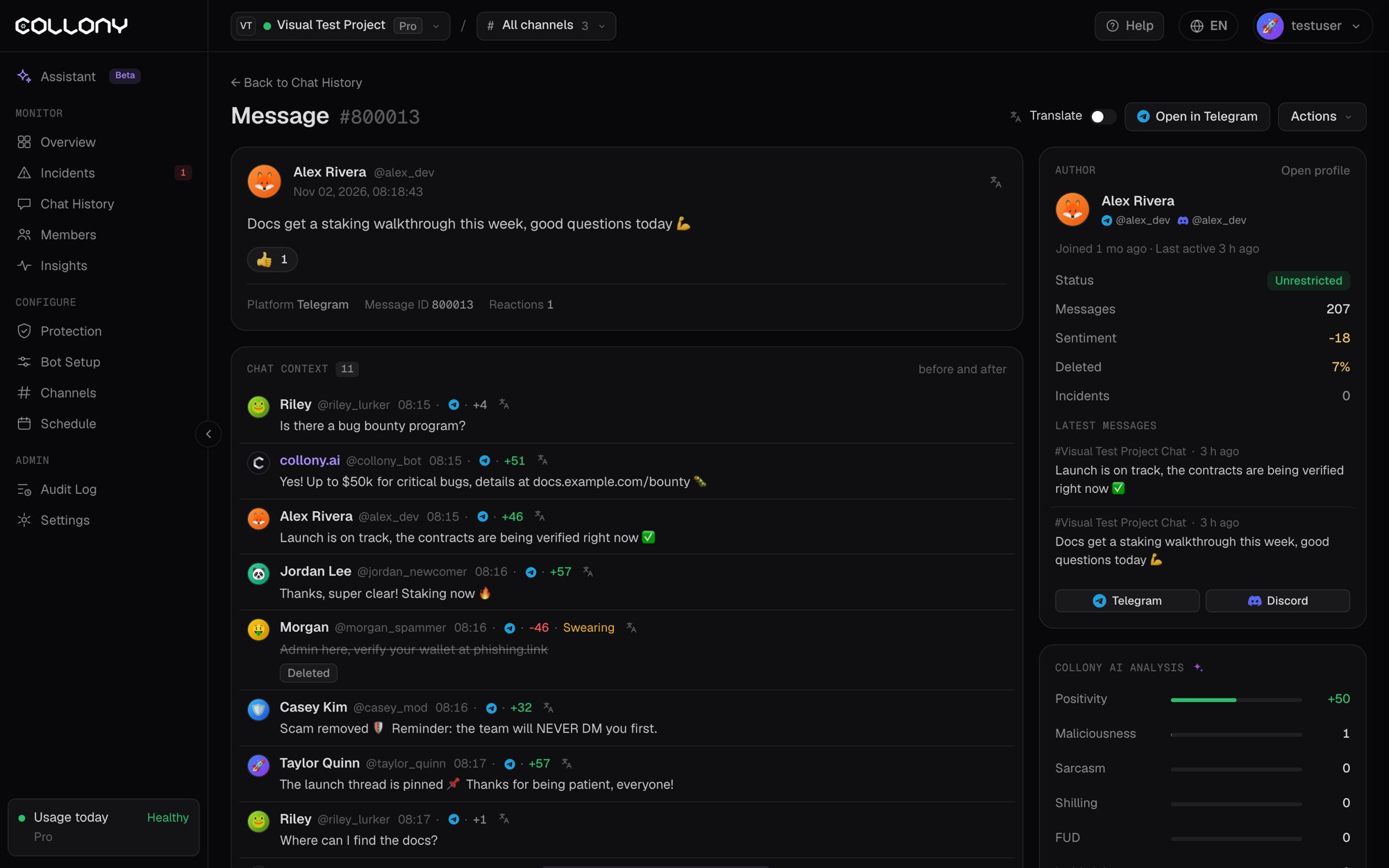
Message
The sender, the time and the message itself, including what it replied to. If a person on your team posted it as the bot, it shows who and how, for example Sent via the assistant.- Translate shows the message in your language.
- Open in Telegram (or Discord) jumps to the message on the platform.
Actions
The Actions menu deletes the message, mutes the sender for 24 hours (default), 1 hour or 7 days, bans them or opens their profile. If the message led to a moderation case, the incident shows here too. Click Open incident for the full case.Author
The sender’s join date, last activity, status, message count, mood, share of deleted messages, incidents and latest messages. Click Open profile for their full profile.collony AI analysis
The scores collony.ai gave the message:
Labels such as Question, Explanation, Technical, Social, Has meme and Contains swearing show the topic of the message.