

AI rules are part of the Protect, Grow and Scale plans. See Billing.
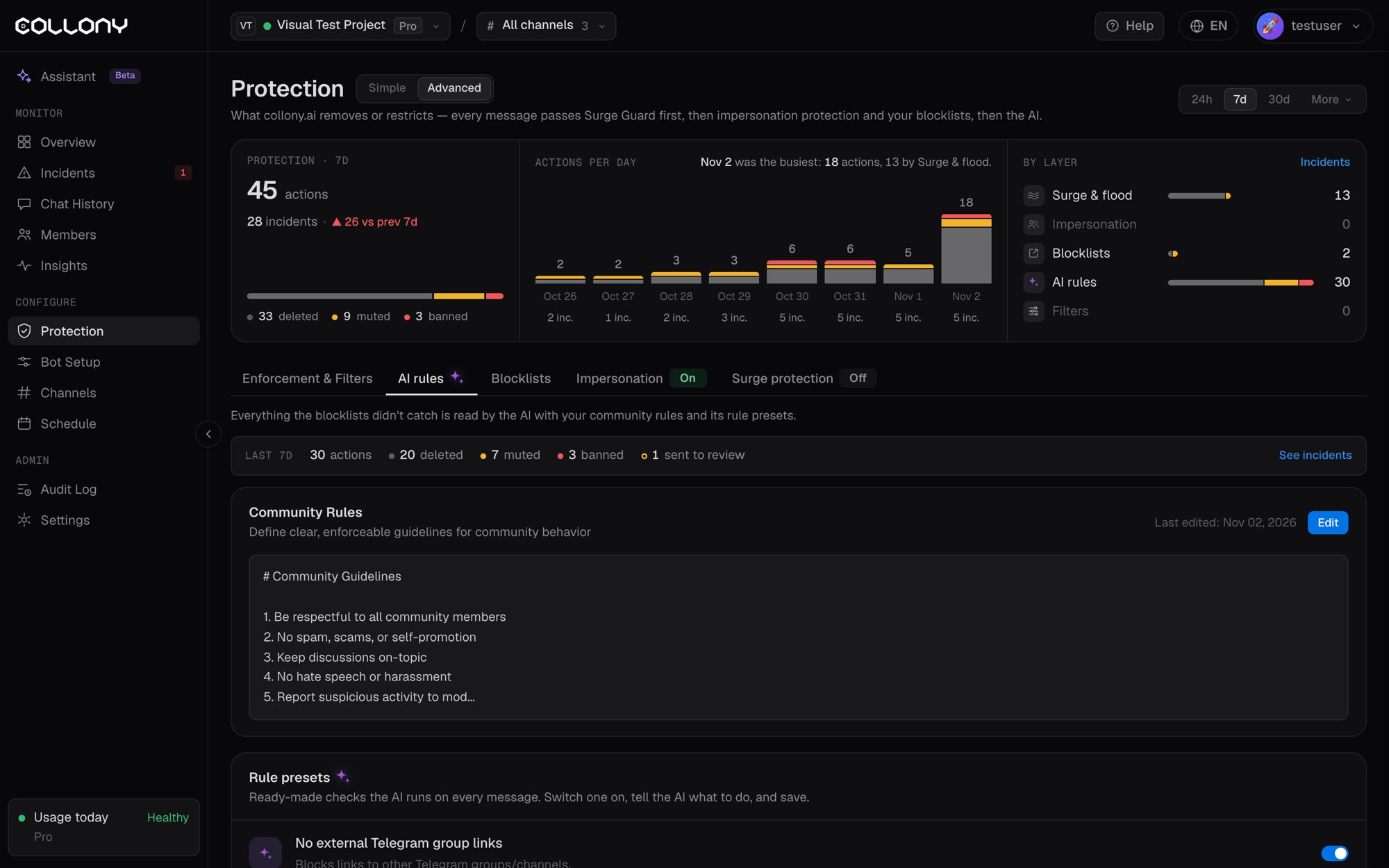
Community rules
Plain-language rules that say what is allowed and what gets removed. Click Edit, paste your rules and save. The AI applies them right away. Every edit is versioned, and the page shows who edited the rules last. The bot already knows your project from Bot Setup, so these rules can say “the team” and “official channels” and still enforce correctly. Pick the closest template, paste it in, and adjust only what is specific to your community.- General
- Crypto
- Gaming
- Sports betting
Rule presets
Ready-made checks the AI runs on every message, next to your community rules. Each one is tuned by collony.ai for a common attack. Switch one on, tell the AI what to do, and save.Preset options
Each preset has three settings:- Tell the AI to: delete, mute, ban or decide by itself. With decide by itself, the AI picks the action based on severity. If the bot is not allowed to ban, a ban becomes a ban suggestion. See Enforcement and filters.
- Applies on: Discord, Telegram or both.
- Custom instruction (optional): an extra line for edge cases, for example
Ban if the user also swears.