

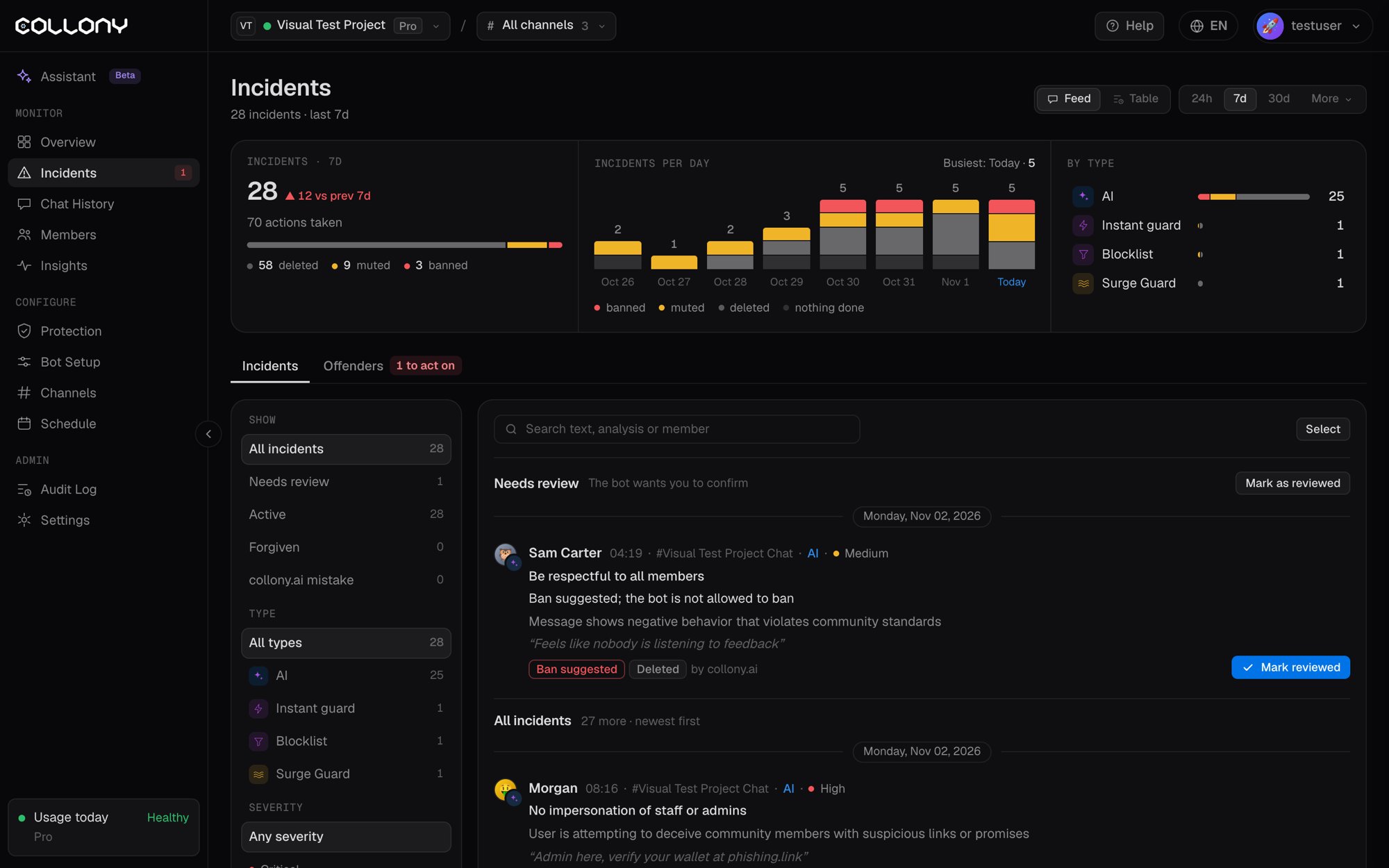
Summary
- Incidents and actions taken, with the change against the previous period
- Deleted, muted and banned counts
- Incidents per day, colored by what was done: banned, muted, deleted or nothing done
- By type: what caught each case, such as AI, Instant guard, Blocklist or Surge Guard, with its deletions, mutes and bans
Incidents tab
Filters
Needs review
Cases the bot wants you to confirm, at the top of the list. For example a Ban suggested when the bot is not allowed to ban on its own (see Enforcement and filters), or a message a blocklist or impersonation check flagged. Each card shows the member, channel, what caught it, the rule it broke, the bot’s reason, the message and what was done. Use Mark reviewed when the bot got it right, or open the menu to act. Select several cards to mark them reviewed together.Actions on an incident
The menu also has mute, delete message, and links to open the incident, message or member.
You can forgive and mark mistakes from the chat too, with
/forgive and /fp. See Chat commands.
Offenders tab
Members grouped by their incidents in the range, with their incident count, last incident, current status and what the bot suggests, for example Ban (bot asked). Act from the row: open the member, mute, ban or whitelist. Banned members are hidden unless you show them.Incident page
Click Open incident for the full case:- The message and its mood score, with translate and open on Telegram or Discord
- What happened: each check that fired, with its score
- Chat context: the messages before and after
- Timeline: when the message was sent and each action the bot took, with timing
- Incident: state, severity, what caught it, the rule and the bot’s reason
- collony AI analysis: rule breaking and maliciousness scores
- User: the member’s record, status and roles, with quick role buttons