

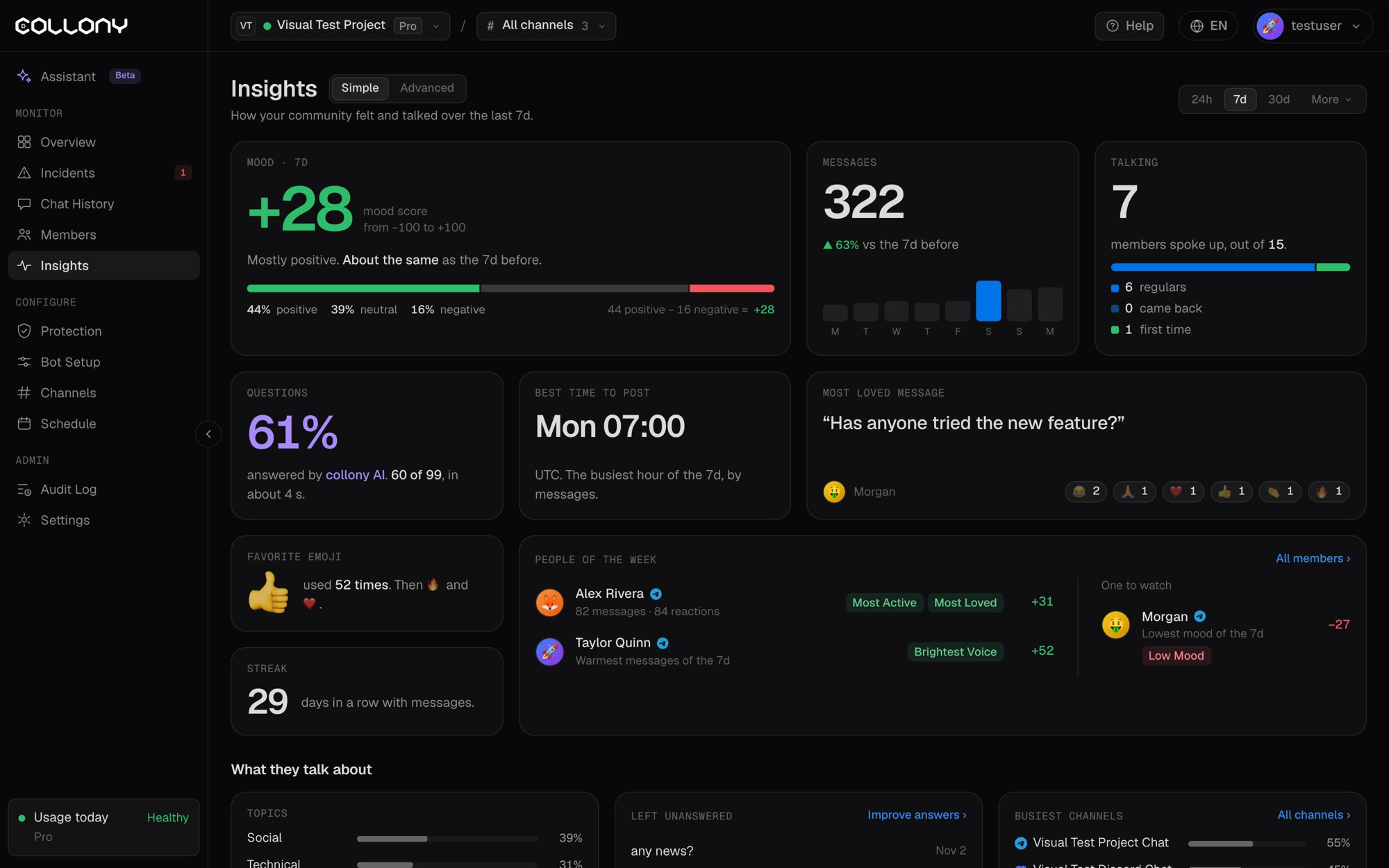
Simple view
A one-page read of the community, in cards:What they talk about
- Topics: the share of messages by topic, such as Social, Technical, Question, Swearing and Sarcastic, and which topic moved most
- Left unanswered: recent questions nobody answered. Click Improve answers to add them to your knowledge base.
- Busiest channels: the share of messages per channel
Growth
New members who joined, and where members are, split by Telegram and Discord with each platform’s share of messages.Advanced view
The top of the Advanced view shows mood per day, member messages, reactions, bot answers, removed messages and how many members talked or only reacted. Below it are six tabs.- Overview
- Members
- Reactions
- Sentiment
- Rhythm
- Messages
How busy the community is.
- Activity timeline: messages over time, live, with zoom levels from 1h to 30d. Drag across the chart to zoom in. Shaded bands mark Surge Guard slow-mode periods.
- Daily active members: members who sent a message and members who only reacted, per day
- Questions and the assistant: the share of questions answered by collony AI, by members or left unanswered, the median answer time and answer time per day